

What can we help with?
Can't find the answer you're looking for? Ask us.


What is included in the Credit Score and three Bureau Monitoring service?
Basic
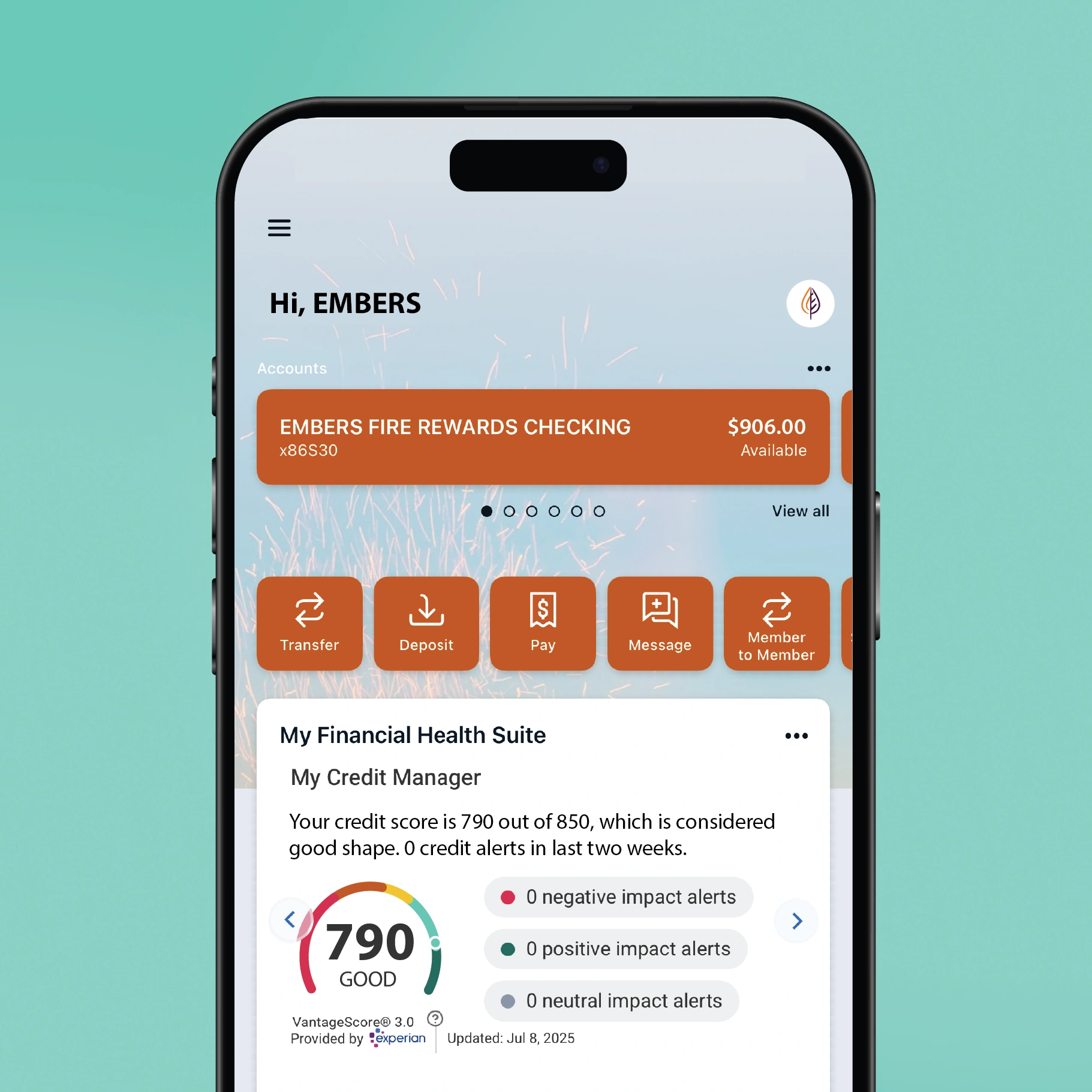
Access your free VantageScore® 3.0 Credit Score from Experian, which is updated monthly, right within your digital banking dashboard.
Premium
Access your Credit Score and receive credit score changes and credit report alerts immediately from all three credit bureaus, Experian, Equifax, and TransUnion.
How often is my credit score updated?
Each credit score is updated monthly. However, if you are on the Premium Plan, you will receive alerts immediately if there are any significant changes to your credit report from any of the three bureaus.
I recently applied for a loan. Why doesn’t my credit score match in online banking?
This score is based on the VantageScore® 3.0 model. There are other scoring models and the credit score provided may not be the score used by lenders to make credit decisions.
I received a credit alert that seems to be incorrect. What should I do?
You should contact the appropriate credit bureau for more information.
What does the identity protection service cover?
Basic Plan
Our free identity protection service monitors the your personal information on the dark web and alerts you to potential fraud.
Premium Plan
The Premium Plan also includes services such as SSN monitoring, change of address alerts, and identity restoration support in case of identity theft.
How do I know if my identity is compromised?
You will receive an alert in your entry tile anytime we detect unauthorized or suspicious use of your personal information, allowing you to take prompt action.
How do I view my identity protection alerts?
From the dashboard in digital banking, click on “See more” within the Identity Protect tile, then tap the "☰", from the health suite menu, tap "Identity Alerts." Here you can view all alerts related to your identity.
What is Personal Information Protection?
Personal Information Protection helps secure your personal information by identifying and removing your data from various data broker sites, minimizing your online exposure.
How can I see where my information is exposed?
You can access a detailed summary by navigating to the Personal Info Protection view which lists all sites where your personal information has been found, along with the actions taken to remove or secure it.
How often are the subscriptions refreshed?
The subscriptions are refreshed daily for Premium Users and weekly for Basic Users.
What types of subscriptions show up in Subscription Management?
Subscription Manager tracks a wide range of subscriptions including streaming services, software licenses, gym memberships, and other recurring charges linked to the user’s primary financial accounts.
How are we pulling this data?
The Financial Health Suite analyzes your transaction history within digital banking to identify recurring charges made to your Embers debit or credit card. Using advanced technology, it automatically detects and categorizes these subscriptions, even pulling in the subscription's logo to provide a clean, modern, and visually intuitive experience.
What if I don’t have any subscriptions with the credit union?
If you don't pay for your subscriptions using an Embers debit or credit card, the product won't show any subscriptions.
How do joint accounts show up?
If there are subscriptions on accounts a user is joint on, they will appear in subscription manager and show as tied to the joint account.
How do I find out what type of student loan do I have?
You can find out whether your loan is federal or private by following these steps:
Check the top of your federal loan promissory notes, applications, and billing statements. These documents usually mention the name of the federal loan program at the top. Federal loan programs include the William D. Ford Federal Direct Loan Program, the Federal Perkins Loan Program, and the Federal Family Education Loan (FFEL) Program.
Log in to StudentAid.gov using your FSA ID (account username and password). Under your name, select "My Aid." The My Aid section displays information on federal loan and grant amounts, outstanding balances, loan statuses, and disbursements.
What is an income-driven repayment plan, and how does it work?
Income-driven repayment plans are designed to make loan payments more manageable based on borrowers' income and family size. These plans typically cap the monthly payment at a certain percentage of the borrower's discretionary income, potentially providing more affordable repayment options.
How can I update my payment method?
From the dashboard in digital banking, click on “View more” within the carousel component and navigate to the ‘Manage Account’ section in the left-hand menu bar. Click on ‘Edit plan’ and then ‘Change payment method’ to change which primary account the user wishes to pay from. If the user only has one primary account then they will not be able to change it at this time.
How do I cancel my Premium Plan subscription?
From the dashboard in digital banking, click on “View more” within the credit and identity protection services tile and navigate to the ‘Manage Account’ section in the left-hand menu bar and click on ‘Edit plan’ and then “Cancel Premium Plan”.
Once you cancel, you will be downgraded back to the free version. If you wish to fully opt out, go back to the ‘Manage Account’ section to fully unenroll from the services.
What happens when I cancel my Premium Plan subscription?
If you cancel your Premium Plan subscription you will continue to have access to the Premium features until the end of the billing cycle. At the end of the billing cycle you will be downgraded to the Basic (free) plan.
What if I no longer wish to have the Basic (free) plan?
You can unenroll from the My Account section. You can always enroll back in afterwards.