


Eligibility & Requirements:
- Must have an Embers business account
- Owner or controller must enroll
- Compatible device: iOS or Android with NFC
How It Works
Getting started is simple:
- Enroll through the Embers app.
- Review and accept the merchant agreement and disclosures.
- Choose the account where your payments should settle.
- Start accepting payments from your mobile device.
A Simple Way to Take Payments On the Go
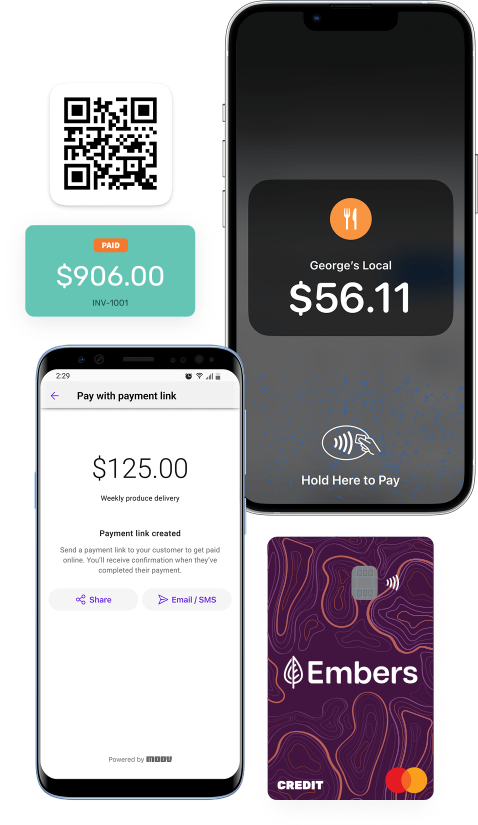
Tap to Pay gives your business a secure, flexible way to accept payments using your compatible mobile device. Customers can tap their contactless debit or credit card, Apple Pay®, Google Pay™, or another mobile wallet, and keep the transaction moving without a traditional payment terminal.
No extra hardware. No unnecessary friction. Just a simple way to help your business get paid.
Ways to Accept Payments
Tap to Pay - Let customers tap a contactless card or mobile wallet on your compatible mobile device for a quick, in-person payment.
Payment Links - Send a secure payment link by text or email so customers can pay online when it works for them.
QR Code Payments - Display a QR code that customers can scan from their own device to complete payment online.
). Tap to Pay FAQs
What payment types can I accept?
What if my customer does not have a contactless card?
You may be able to send them a secure payment link instead, giving them another easy way to pay.
Yes. Transactions are processed securely to help protect payment information.
What is a contactless card?