

Accept Contactless Payments | Tap2Local
Payments that move with your Business
Give your business a faster, easier way to get paid with no bulky equipment, complicated setup, or extra hardware required.
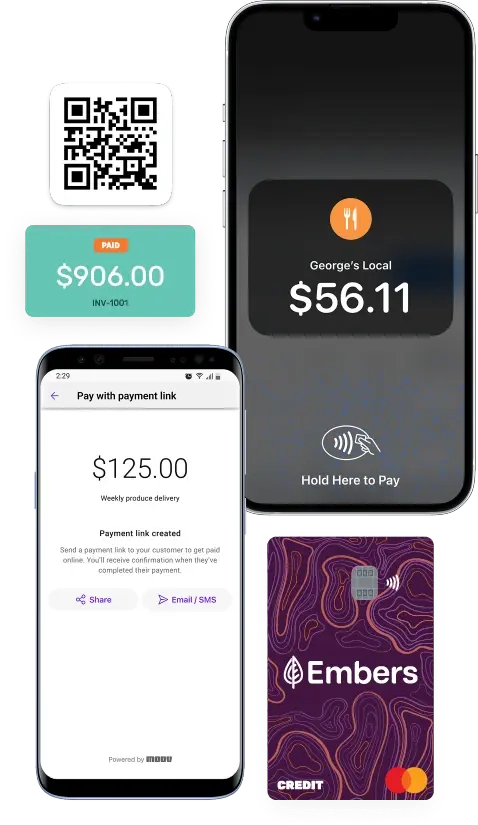
With Tap to Pay, you can accept contactless payments right from your mobile device, helping you keep business moving whether you’re in the shop, on the road, at an event, or meeting customers where they are.
Tap to Pay
A Simple Way to Take Payments On the Go
Tap to Pay gives your business a secure, flexible way to accept payments using your compatible mobile device. Customers can tap their contactless debit or credit card, Apple Pay®, Google Pay™, or another mobile wallet, and keep the transaction moving without a traditional payment terminal.No extra hardware.
Ways to Accept Payments
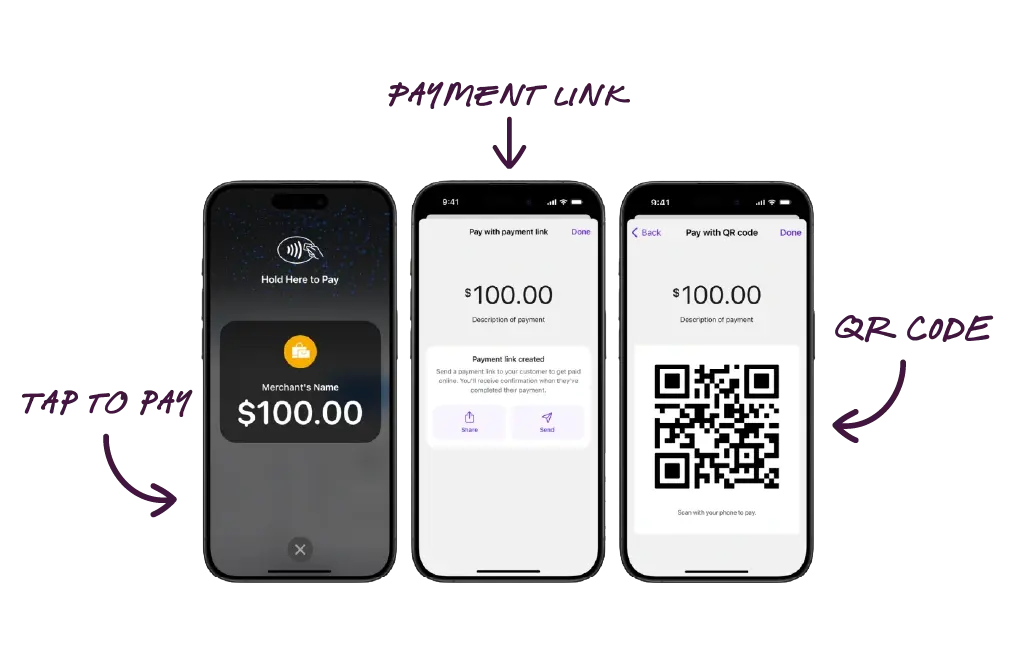
Tap to Pay - Let customers tap a contactless card or mobile wallet on your compatible mobile device for a quick, in-person payment.
Payment Links - Send a secure payment link by text or email so customers can pay online when it works for them.
QR Code Payments - Display a QR code that customers can scan from their own device to complete payment online.
(Delivered through Embers in partnership with Moov. Powered by  ).
).
Tap2Local Questions
Learn how it works
Have questions about accepting payments with Tap2Local? Learn how it works, what devices are compatible, and how your business can take secure contactless payments right from Embers digital banking.
Do I need special hardware for Tap2Local?
No. With a compatible mobile device, you can accept contactless payments without a separate card reader or terminal.
Is Tap to Pay Secure?
Yes. Tap to Pay uses secure contactless payment technology to help protect payment information during each transaction. When your business accepts a contactless card, Apple Pay®, Google Pay™, or another mobile wallet through Tap to Pay in Embers digital banking, the payment is processed without needing to swipe a card, handle cash, or use extra hardware.
What payment types can I accept with Tap2Local?
With Tap2Local in Embers digital banking, your business can accept secure contactless payments from compatible debit cards, credit cards, Apple Pay®, Google Pay™, and other mobile wallets. This gives customers a fast, flexible way to pay using the card or digital wallet they already have.
What is a contactless card?
A contactless card is a debit or credit card with tap-to-pay technology built in. Customers can hold the card near a compatible device or payment reader to make a secure payment without swiping, inserting, or handing over the card.
Cards with the symbol below have contactless payment capabilities:

What if my customer doesn't have a contactless card?
If your customer doesn’t have a contactless card or mobile wallet, you can send them a secure payment link or display a QR code they can scan to complete the payment online. This gives customers another easy way to pay with a non-contactless debit or credit card.
Are there any processing fees associated with Tap2Local?
Yes. Tap2Local includes processing fees for completed card payments:
-
In-person card payments are 2.60% + $0.15
-
Online card payments are 2.90% + $0.30
-
International card payments include an additional 1%
When will I receive payments I take with Tap2Local in my Embers account?
Eligible Tap2Local card payments are typically available the next banking day when processed before the card network cutoff times. This means your business can accept payments today and see those funds credited to your Tap2Local wallet as soon as the next banking day.